SIEM: correlation and security incidents
The rules that cross-check events from the modules, an incident's life cycle, response times (SLA) and notifications.
Every 30 seconds the SIEM reads the events from the other modules (files, flows, availability, network, DNS, authentication, firewall, Microsoft 365) and runs them through its correlation rules. When a rule fires, it opens an incident numbered INC-year-number.
Getting started: install, then turn on the rules
In Correlation rules (#/siem/rules), Install default rules adds 58 rules: security, infrastructure, compliance, Active Directory, Microsoft 365. They all arrive switched off. Turn on the ones that match your modules with the switch in the Status column, starting with the critical ones.
Customise adjusts a rule for your organization only; Reset to default goes back to the original version. A rule has a time window, a repeat delay (at least 60 s), a priority (1 to 100) and conditions joined by AND or OR. Of its actions, only "send notification" is actually carried out; the others (isolate, block…) appear in the incident as recommendations.
Handling an incident
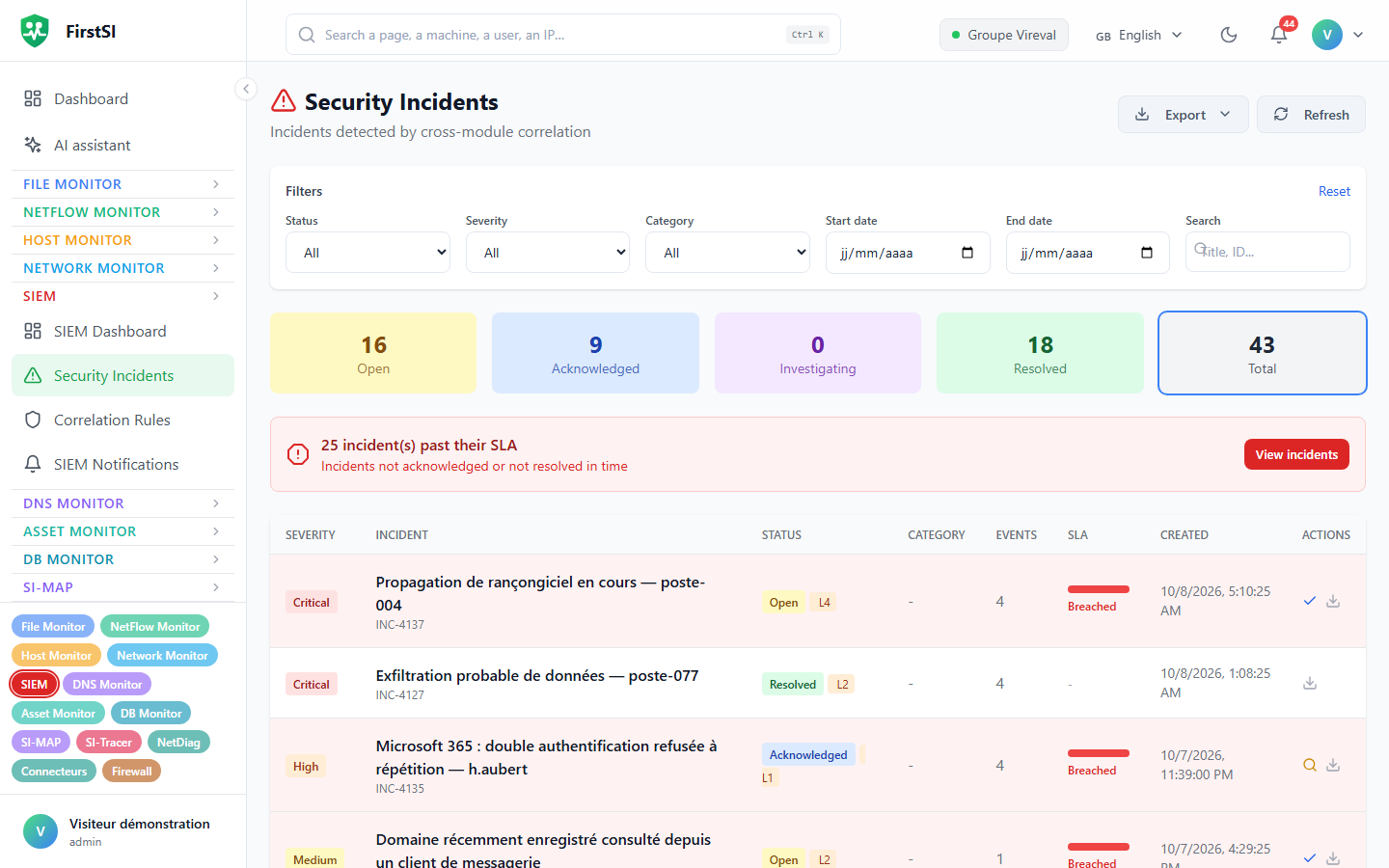
Security Incidents (#/siem/incidents) can be filtered by status, severity, category, dates and text (title, number or description). Export produces the list as CSV or PDF. A banner flags incidents that are past their deadline.
Open → Acknowledged → Investigating → Resolved → ClosedWhile an incident is Open, new events from the same rule and the same entities are added to it instead of opening another incident. The incident page shows Affected Entities, Recommended Actions, the Event Timeline and the Action History (who acknowledged, who resolved).
To resolve an incident you have to classify it: True positive - Threat confirmed, False positive, Threat mitigated or No action required, with notes if needed.
Response times (SLA)
| Severity | Acknowledge within | Resolve within |
|---|---|---|
| Critical | 5 min | 60 min |
| High | 15 min | 4 h |
| Medium | 60 min | 8 h |
| Low | 4 h | 24 h |
Past that delay, the incident is marked Breached and escalated.
Notifications
In SIEM Notifications: Enable notifications (off by default), Severity threshold (Critical by default), the Event types (creation, escalation, resolution) and the Notification channels, which are the HostMonitor ones (e-mail, Slack, Teams, Discord, Telegram, webhook, SMS). Send a test checks the whole chain.
Rights
| Action | Roles |
|---|---|
| View, export | everyone |
| Move an incident forward, test notifications | operator, administrator |
| Rules, notifications | administrator |
Frequently asked questions
No e-mails. Notifications are off by default, the threshold is set to Critical, and at least one channel must be ticked.
Why one incident for so many events? That is the grouping at work: an open incident absorbs the rest of the same attack.
Source: · FirstSI Docs · updated 2026-10-10