Manage agents
Switch a module on or off remotely, update the fleet, choose the update policy, remove an agent.
The FSI Agents screen (#/fsi-agents) lists every machine where the agent is installed.
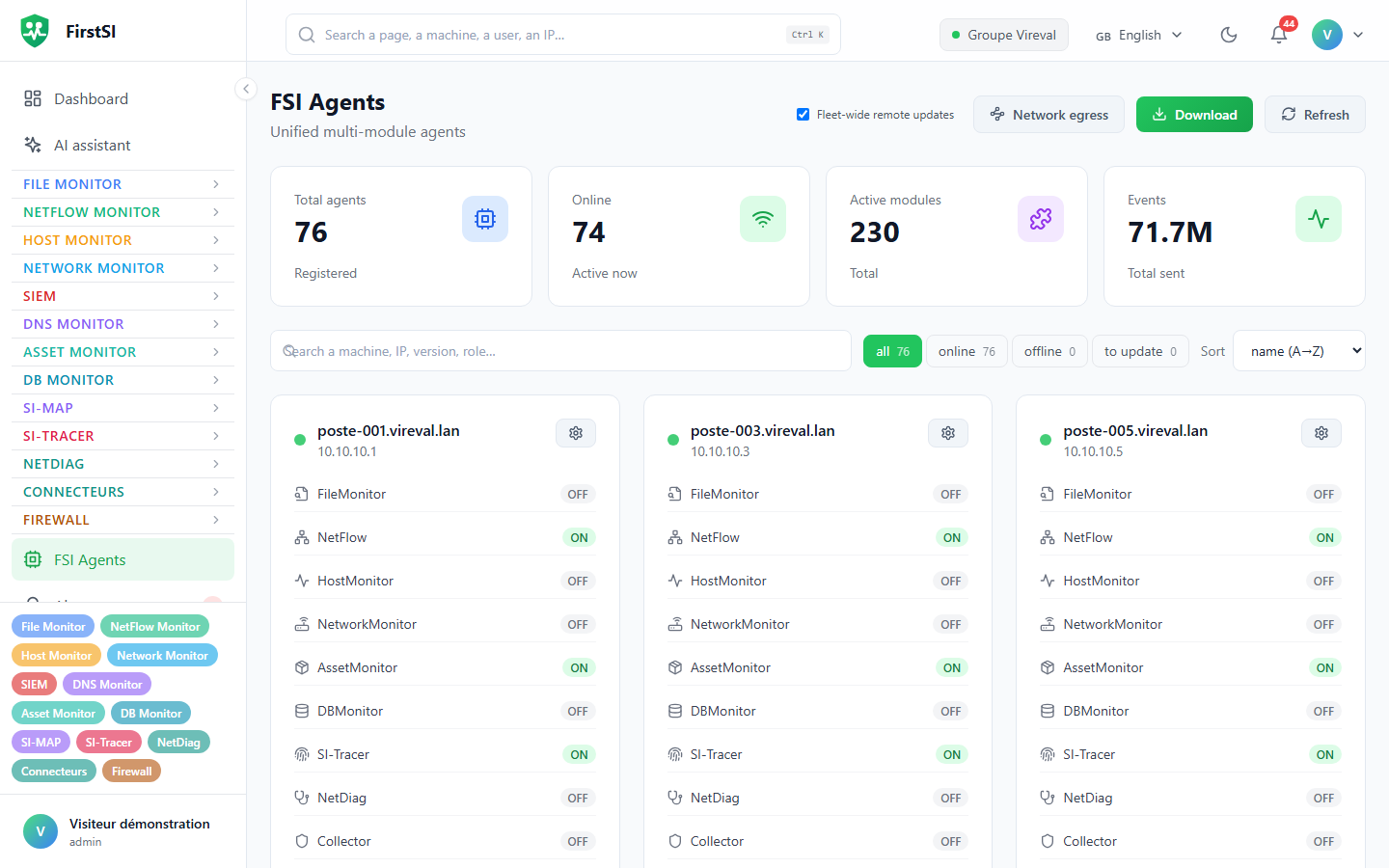
Reading the list
At the top, four counters: Total Agents, Online, active modules and Events. You can filter (all, online, offline, needing an update), sort by name or by last activity, and search by computer name, IP address, version or role.
An agent is Online if it has checked in during the last 5 minutes. On computers running NetDiag, the card also shows the user of the open session. Finally, it shows how the agent reaches the server: directly, or through a relay or a proxy (see Network egress).
Switch modules on or off
The gear button on an agent's card opens a configuration window (titled "Configurer" followed by the computer name) with one switch per module:
| Module | Enable it on |
|---|---|
| FileMonitor | file servers |
| NetFlow, NetDiag, AssetMonitor | workstations and servers |
| HostMonitor | machines that run checks "by the agent" |
| NetworkMonitor | one server per site, for SNMP and discovery |
| DBMonitor | database servers, or a machine that can reach them |
| SI-Tracer | domain controllers |
| Collector | the relay agent that receives a site's syslog and IPFIX (Firewall) |
| Directory | a domain member server, for the AI Assistant and connectors (Directory, Connectors) |
After Save, the agent picks up its configuration at its next check-in (within a minute) and starts or stops the modules without restarting.
Updates
When a newer version exists, the card shows Update available and an Update button. Update all handles the whole fleet in one go. The agent downloads the new version, checks its signature, installs it and restarts its service; its configuration is kept. ARM64 computers get the ARM64 build.
Who decides on remote updates
| Level | Where | Values |
|---|---|---|
| Fleet | Fleet-wide remote updates box at the top of the page | allowed or blocked |
| Computer | Remote update on the card | follows the fleet, allowed, blocked |
| Local | the computer's configuration file | a refusal set there cannot be lifted from the console |
The computer's setting takes precedence over the fleet's. With no setting at all, updates are allowed.
Remove an agent
First uninstall the agent from the machine (see Install the agent), then click Delete in FSI Agents. Do it in that order: as long as it is installed, the agent keeps contacting the server.
Source: · FirstSI Docs · updated 2026-10-10