DNS Monitor
Domain names looked up by workstations, checked against lists of malicious domains (malware, C2, phishing).
DNS Monitor records the domain names workstations look up and checks them against lists of malicious domains. A workstation asking for a command-and-control domain is often the first sign of an infection.
There is no dedicated agent: DNS queries are sent by the agent's NetFlow module (NETFLOW=true).
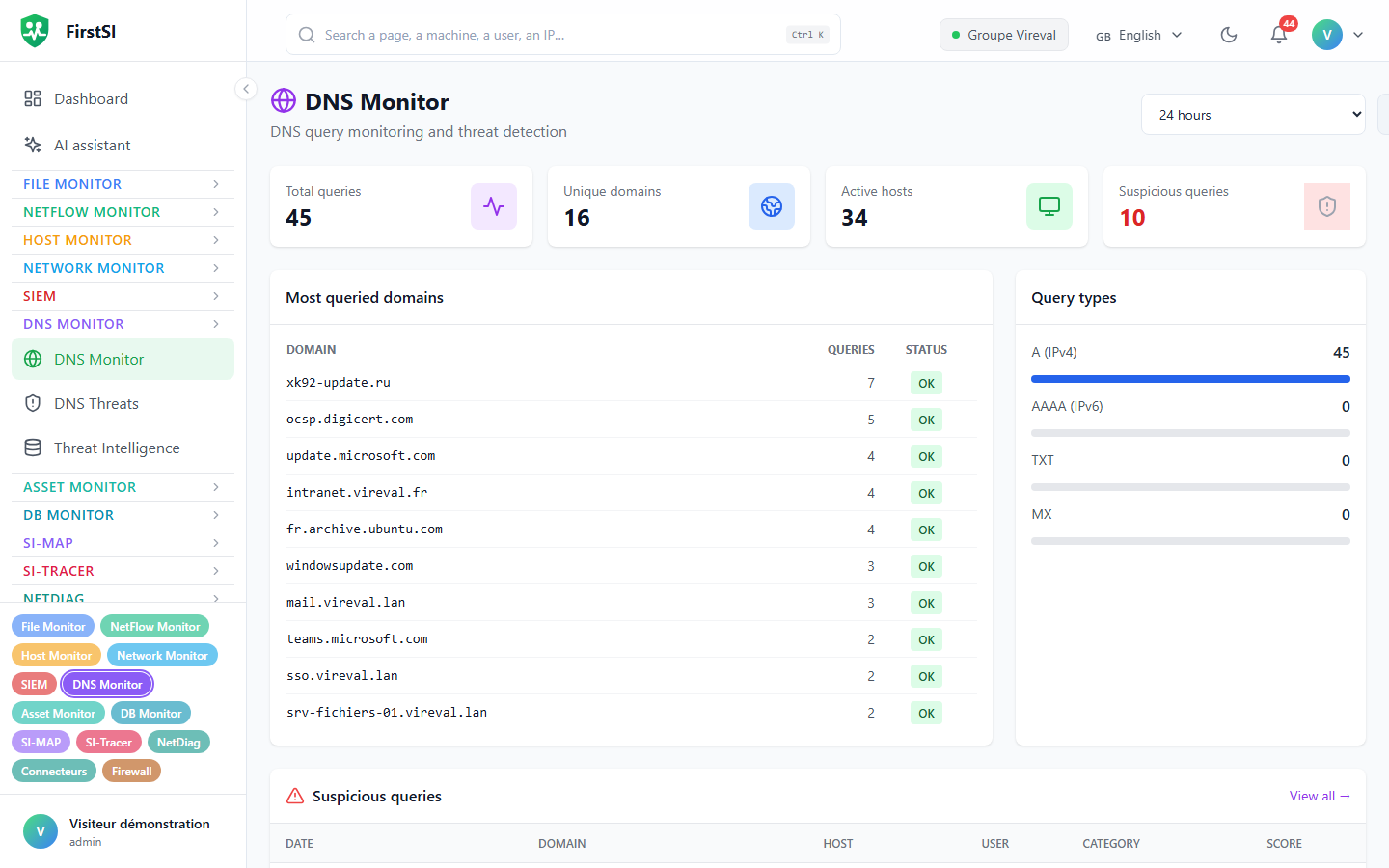
The screens
| Screen | Content |
|---|---|
DNS Monitor (#/dns) | Total queries, Unique domains, active hosts; Top domains, query types; Analyze domain for an on-demand check |
DNS Threats (#/dns/threats) | Matches against the lists (Detections), over 30 days at most; filters by category and score; Acknowledge all, Export |
Threat Intelligence (#/dns/threat-intel) | Your own indicators and the external lists |
Threat lists
Four external lists are built in: CERT.pl, Feodo Tracker, ThreatFox and URLhaus. They update every 24 hours; Sync or Sync all forces an update.
You can add your own indicators, one at a time with Add (exact, suffix, contains or regex pattern) or in bulk with Import (text, CSV or JSON). Only an administrator can delete an indicator.
The Whitelist works the other way round: a domain it allows (exact, suffix or contains pattern, case-insensitive) no longer produces a detection, including for queries sent by the agents.
Suspicious queries and heuristic analysis
On the DNS dashboard, the Suspicious queries tile and the list of suspicious queries show the matches against the threat lists over the chosen period: workstation, domain, category and score.
In DNS Threats, the Analysed (heuristics) tab goes beyond the lists. The analyser runs over the 3,000 most queried domains of the period and looks for what gives a dubious domain away: an algorithmically generated name, a DNS tunnel, an often-abused extension, punycode, an unusually long name. It keeps domains that reach a score of 30, leaving out whitelisted ones. The result is recomputed at most every 5 minutes. Internal names are left out: fleet machines, private domains (.lan, .local…), names without a dot and reverse lookups, which would otherwise look like generated domains.
Detections
These are SIEM rules, to be turned on under SIEM → Rules:
| Rule | Severity | Trigger |
|---|---|---|
| SEC-DNS-C2-001 | critical | 1 query to a command-and-control domain in 5 min |
| SEC-DNS-C2-002 | critical | 3 queries to a C2 domain in 10 min |
| SEC-DNS-DGA-001 | critical | 5 queries to algorithmically generated domains in 10 min |
| SEC-DNS-TUNNEL-001 | critical | 2 queries that look like a DNS tunnel in 5 min |
| SEC-DNS-MALWARE-001 | high | 1 query to a malware domain |
| SEC-DNS-PHISHING-001 | high | 1 query to a phishing domain |
| SEC-DNS-CRYPTO-001 | high | 1 query to a mining domain |
After a detection
Open the workstation in Investigate a device to see who uses it, its other destinations and what the firewall says about it. Then check whether the domain was actually reached (flows, firewall) or only looked up. The rest is up to your incident procedure; remember to classify the SIEM incident when you resolve it.
Frequently asked questions
No DNS queries. No agent has the NetFlow module turned on.
A list looks out of date. Click Sync. Otherwise it updates itself every 24 hours.
Source: · FirstSI Docs · updated 2026-10-10