Account profile and IP address profile
Everything about an account on one page (logons, failures, lockouts and their real origin, VPN, Microsoft 365), and where an IP address comes from.
When an account is locked out, the domain controller often names itself or the firewall as the "caller": that does not say where the attempts came from. The account profile gathers what FirstSI knows about the account and traces back to the real origin: a workstation, a service, or attempts coming in from the Internet through the VPN.
Open a profile
SI-Tracer → Account profile, enter the login (without the domain), choose the period (24 hours, 7 days or 30 days), then Show. You can also get there by clicking an account in the SI-Tracer events, in the Firewall events or in the detail of a SIEM incident.
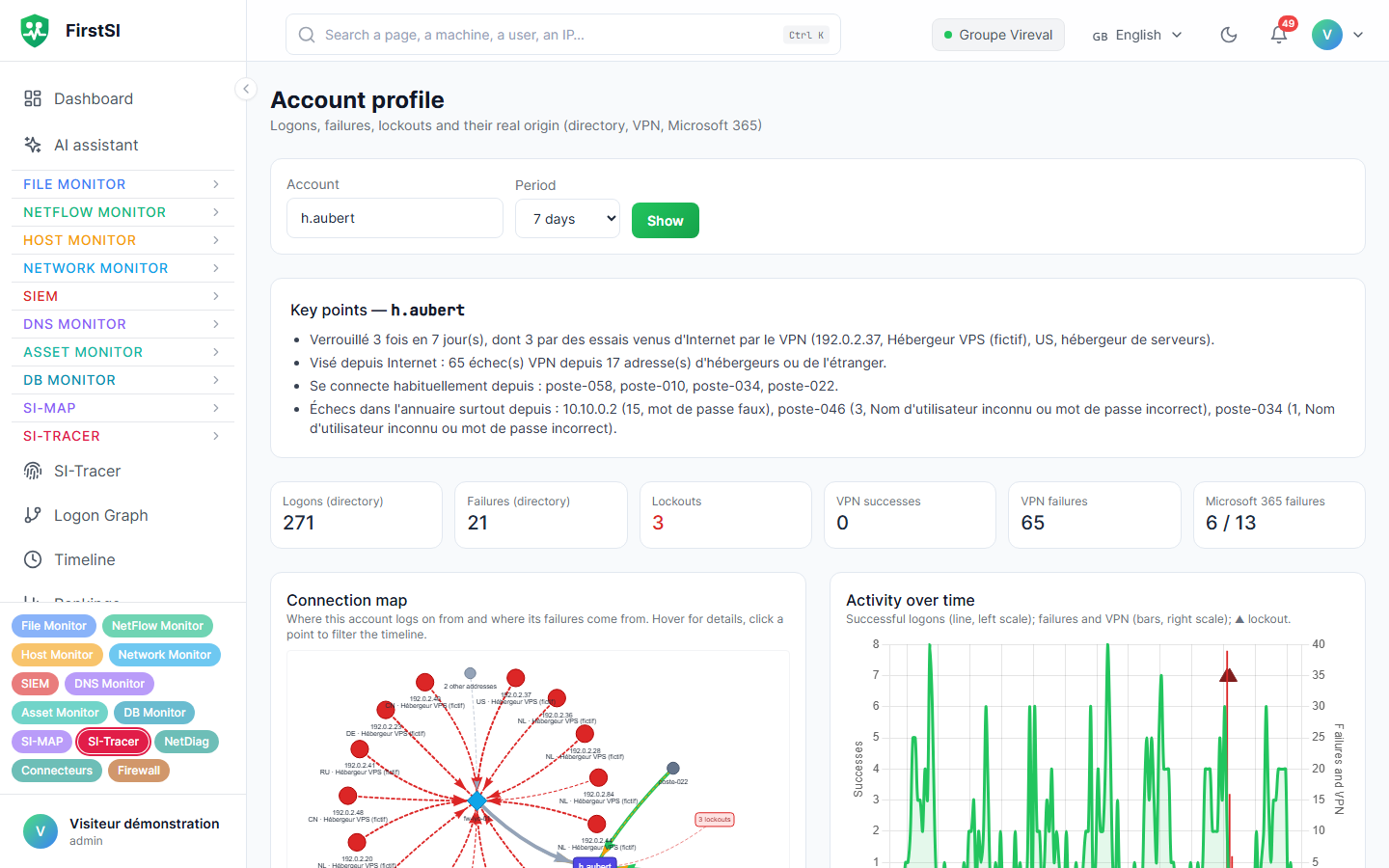
The profile is reserved for operators and administrators. Every lookup is recorded in the audit log.
What the profile shows
| Block | Content |
|---|---|
| Key points | The verdict in a few lines: locked out or not, by what, attack under way or simply an outdated password |
| Counters | Logons and failures in the directory, lockouts, VPN successes and failures, Microsoft 365 failures |
| Lockouts and real origin | For each lockout: the time, the domain controller, the origin found and the address involved |
| VPN and portals, by address | Successes and failures per public address, with country, network operator and last seen |
| Usual workstations and servers | The machines the account normally logs on to |
| Directory failures, by origin | Workstation or address the failures come from, with their reasons (wrong password, disabled account…) |
| Microsoft 365 | Sign-ins and failures on the Microsoft side, loaded separately (reading may take several tens of seconds) |
| Connection map | Where the account logs on from and where its failures come from; clicking a point filters the timeline |
| Activity over time and Timeline | All sources on the same axis: directory, VPN, Microsoft 365, lockouts |
How the origin is found
For each lockout, FirstSI looks, in this order, for:
- the account's VPN attempts just before the lockout, with the public address, its country and its network operator;
- failing that, the failures in the directory, with the workstation or address they come from;
- failing that, the caller given by the lockout event.
VPN attempts from a foreign hosting provider are the mark of an attack: it is not the user, and changing their password is not enough. An internal workstation rather points to a password still saved somewhere (open session, mapped drive, scheduled task, phone).
IP address profile
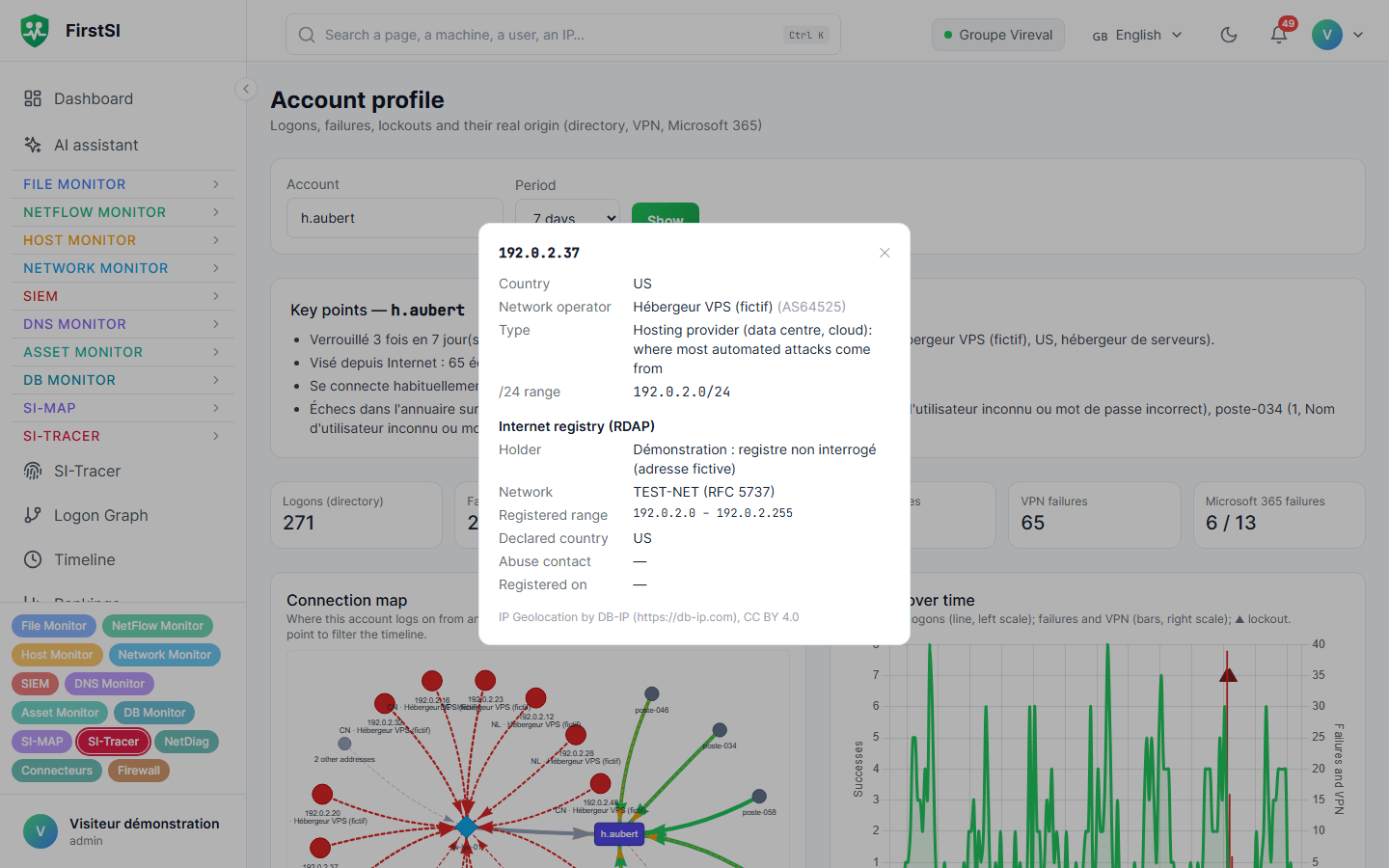
Wherever a public address appears (SI-Tracer, Firewall, incidents, account profile), clicking it opens its profile:
| Information | Explanation |
|---|---|
| Country, Network operator | From the console's geolocation database |
| Type | hosting (rented servers, data centre, cloud: where most automated attacks come from) or Internet provider or company |
| /24 range | The 256 neighbouring addresses, often used together by the same campaign |
| Internet registry (RDAP) | On request: holder, network, registered range, declared country, abuse contact, registration date |
The registry's answer is kept for 24 hours. The name of a private individual is never shown.
Related detections
Two rules of the Firewall module rely on this information: FW-SPRAY-CAMPAGNE groups a campaign run from the same range or the same hosting provider into a single incident, and FW-COMPTE-VERROUILLE opens an incident for each locked-out account, with its real origin in the title.
Source: · FirstSI Docs · updated 2026-10-10