AI assistant
Ask a question in plain language. The assistant reads your data across the modules, cross-checks what it finds and cites its sources.
You ask a question the way you would ask a colleague ("Which workstations had network problems today?"). The assistant goes and looks through your data on its own: NetDiag, flows, firewall, monitoring, directory, connectors… It tells you what it read and links to the relevant screens.
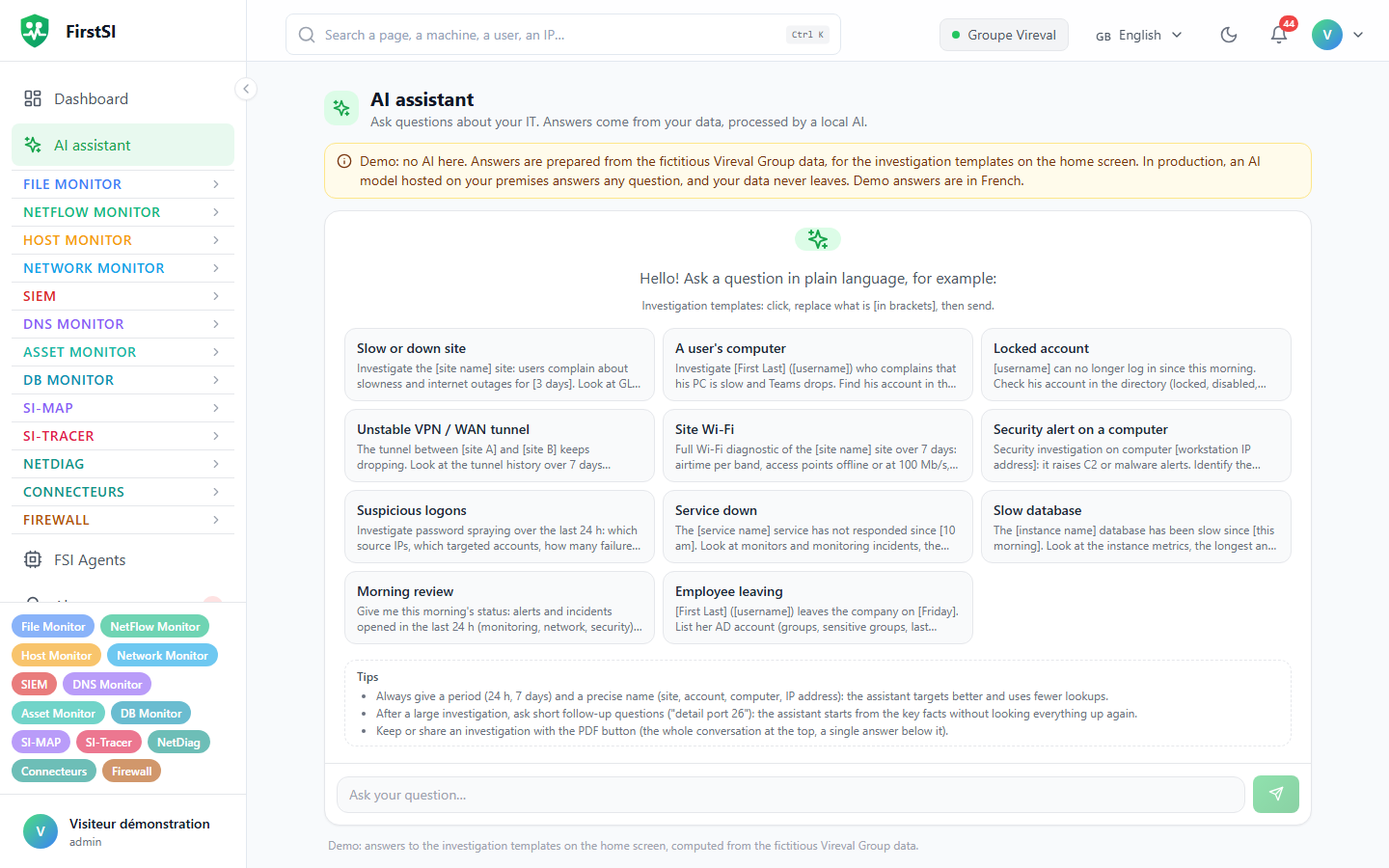
Asking a question
Open AI assistant (#/assistant), type the question and press Enter (Shift+Enter for a new line). While it works, the assistant shows Looking at your data: followed by the sources it queries. Depending on the question, the answer takes a few seconds or about a minute.
The investigation templates give you ready-made questions: slow site, a user's workstation, locked account, unstable tunnel, a site's Wi-Fi, security alert, slow database, morning briefing… Click one, replace what is in brackets, then send.
Asking well
Give a period ("since this morning", "over 7 days") and a precise name: site, account, workstation or IP address. A vague question forces the assistant to go through everything, and the answer suffers for it.
To dig into a point, follow up with short questions ("detail port 26"): the assistant starts again from the Key facts instead of reading everything again. If an answer stops because it has reached its step limit, Retry asks the same question again.
What the assistant can read
It works with your rights: the modules you have access to, your role, and only your organization's data. It changes nothing.
| Depending on your role and modules | Examples |
|---|---|
| Everyone | NetDiag, flows, alerts, monitoring, inventory, SIEM, firewall, site Wi-Fi, a workstation's activity |
| Operators and administrators | Microsoft 365 (if your role has access), site lines and routers (WAN gateway), the ticketing tool's knowledge base |
| Administrators | Active Directory (Directory) |
| Depending on the query | Validated connector queries, each open to the roles chosen by the administrator |
Reading and keeping an answer
Sources consulted lists what was read; the #/… links open the matching screen. Key facts, collapsed by default, sums up what the assistant keeps for the rest of the conversation. Export produces the whole conversation or a single answer, as Markdown or PDF, for a ticket or a report.
The assistant answers in the console's language, whatever the language of the question.
Privacy
The model used is the platform's or the one your organization has declared (Customer AI and guidelines). Your data does not go to a service your organization has not chosen. Every question is written to the audit log. The conversation history stays in the browser tab and disappears when you close it.
Frequently asked questions
"The AI assistant is disabled for your organisation". The "Assistant IA" token has been revoked under Public API. An administrator needs to create it again (see API tokens).
"Queued (position n)". The model is finishing another request; yours comes right after.
The assistant cannot see the directory or Microsoft 365. These sources depend on your role and on the customer's configuration. Check with an administrator.
Source: · FirstSI Docs · updated 2026-10-10